
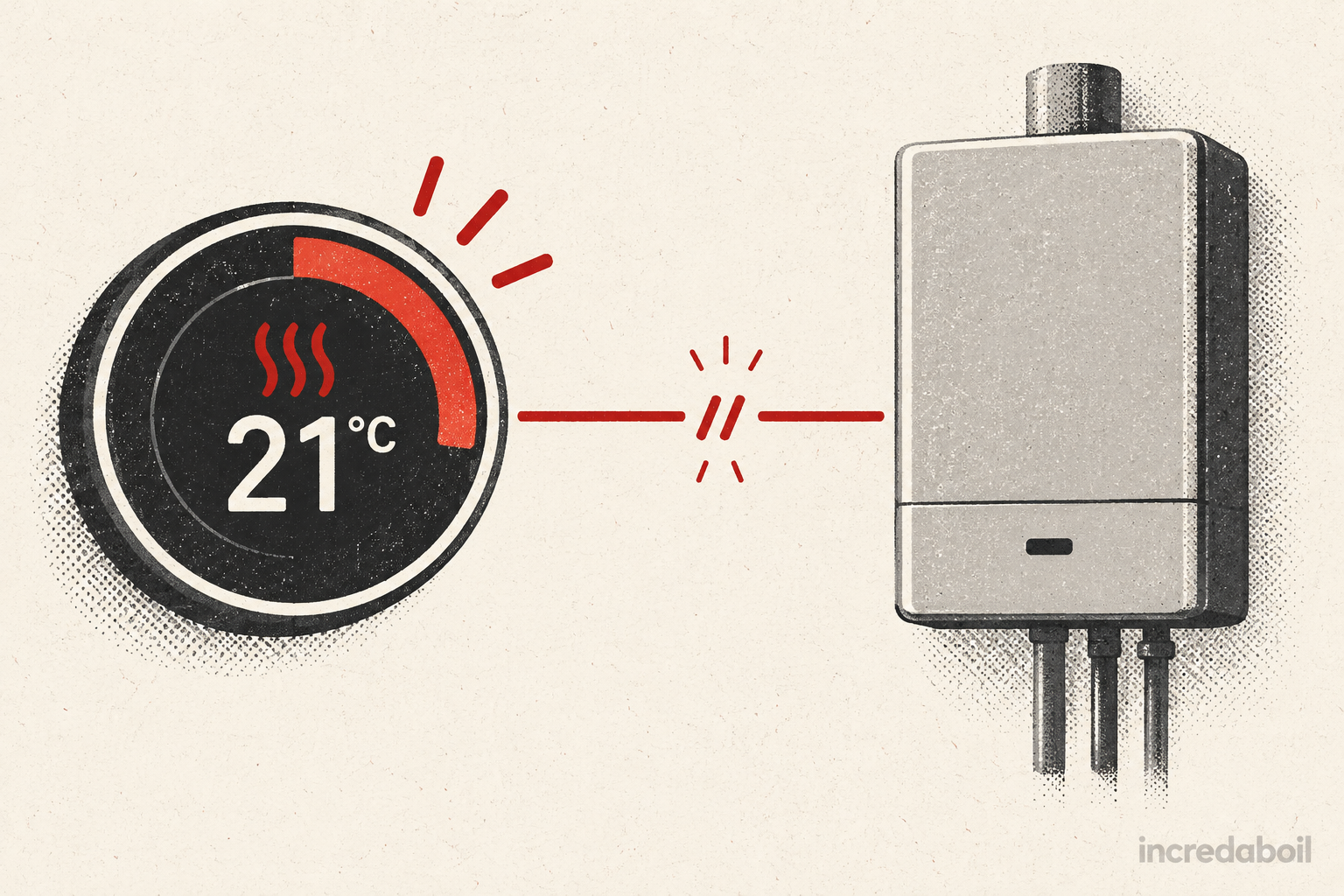
A thermostat can display a flame or say “heating on” without the boiler firing immediately. The symbol usually means the control is requesting heat—not that a burner flame has been independently confirmed. The room may already be warm enough, the boiler may be in a normal waiting period, or the request may not be reaching the boiler.
Work through the controls from the room toward the boiler. Check the target temperature, schedule, power, receiver and boiler display without opening any casing. If the demand still does not produce heat, record what each device shows and arrange the right repair.
What does “heating on” actually mean?
A room thermostat measures the temperature around it and compares that reading with the target. A Thermostat turns the heating on until the chosen temperature is reached, then switches it off until the room cools slightly. On a programmable or smart control, the current time period, mode and schedule also affect the target.
On many displays, a flame or heating icon indicates a call for heat. Ideal’s Halo guide, for example, says its flame symbol is present when heating is on. That does not necessarily prove the boiler has ignited: the thermostat must communicate with a receiver or boiler interface, the wider control system must permit demand, and the boiler must be ready to run.
Give the system a few minutes first
Boilers do not always refire the instant a thermostat changes. Some models use an anti-cycle period to avoid rapid on-off operation. Worcester Bosch’s 4700iW technical information describes operating code 202 as a normal anti-cycle waiting time between heating demands, with a default example of five minutes. Other models and controls behave differently, so check the exact user manual rather than treating that number as universal.
If the boiler has just stopped, leave the target above the measured room temperature for several minutes. If it then starts and heats normally, the delay may have been intentional. A boiler that remains cold, shows a fault or repeatedly fails to respond needs further checks.
Safe checks in the right order
1. Set a genuine heating demand
Temporarily set the room target a few degrees above the displayed room temperature. Do not simply look for an icon: confirm the target really is higher. Energy Saving Trust says most people are comfortable between 18°C and 21°C, but this temporary comparison is about diagnosis, not leaving the home overheated.
If the thermostat is in a warm hallway, direct sunlight or beside another heat source, its reading may already satisfy the target even when another room feels cold. Do not cover it or warm it by hand. Compare its displayed temperature with the room conditions and consider placement when the problem is persistent.
2. Check the operating mode and schedule
Make sure the control is in heating, manual or an active scheduled period—not Off, Holiday, Away, frost-protection or hot-water-only mode. Check the day, clock and time zone after a power cut or battery change. Worcester Bosch advises checking that timings remain correct because a power interruption can reset controls.
Smart-control apps may show a requested temperature while the wall control, receiver or boiler is disconnected. Look for an offline, connection or pairing warning. Do not assume an app screen proves the command reached the heating system.
3. Check thermostat batteries and communication
If the thermostat is wireless, replace low batteries only with the type and procedure in its manual. Worcester Bosch notes that most remote room thermostats show a low-battery indicator and publishes model-specific battery and RF-link guidance. Baxi says its AmbiZen thermostat should automatically pair again after battery replacement.
Keep the thermostat in its normal approved position. Moving it far from the receiver, placing large metal objects nearby or changing the home layout can weaken a radio link. Follow the exact manufacturer’s reconnection instructions; do not press random reset or pairing buttons because that can erase configuration.
4. Look at the receiver or boiler interface
Many wireless systems have a receiver near or inside the boiler. From outside, note whether its demand light changes when you raise the target. Ideal’s Halo documentation distinguishes a powered interface, a boiler-demand indication and its wireless-network status. The Halo troubleshooting guide tells installers to check that the target is above current temperature and that the interface has power when the boiler does not fire.
Do not remove the boiler casing to see the interface or reseat an internal module. If the receiver shows no demand while the thermostat says it is heating, communication or control configuration becomes more likely. If the receiver shows demand but the boiler remains idle, the boiler, wiring or another control condition needs testing.
5. Check the boiler display and power
Is the boiler display lit? Does it show standby, heating demand, anti-cycle, low pressure or a fault code? Copy the code exactly and use the user manual for that precise Baxi, Worcester Bosch or Ideal model. A blank display can indicate a power-supply issue, but electrical diagnosis must be left to a competent person.
Check only normal household controls that you can use safely, such as whether an obvious boiler isolation switch has been turned off. Do not remove fused-spur covers, replace internal fuses or bypass a control.
6. Check system pressure from the display or gauge
A sealed heating system may stop or lock out when pressure is outside its permitted range. Compare the reading with the model’s user guide. If the manual provides a homeowner repressurising procedure and you are confident using the fitted filling arrangement, follow it exactly. Stop if pressure repeatedly falls, a leak is visible or the filling controls are unclear.
7. Consider other zones and stored hot water
Homes with multiple heating zones, underfloor heating or a hot-water cylinder may use zone valves and several thermostats. One room control can call for heat while a valve, wiring centre or interlock prevents that circuit from reaching the boiler. A combi installation is usually simpler, but it can still have more than one zone.
Energy Saving Trust explains that programmers, room thermostats, cylinder thermostats and zone controls perform different jobs. Record whether hot water works and whether another heating zone can start the boiler. That information helps distinguish an appliance-wide problem from one control circuit.
What the different patterns suggest
The receiver does not show demand
The thermostat may be in the wrong mode, have weak batteries, be unpaired or have a communication problem. Wired controls can instead have a wiring or control fault. Use manufacturer-approved user steps only.
The receiver shows demand but the boiler says standby
The request may not be reaching the boiler correctly, or another part of the control system may be blocking it. An engineer can test the electrical demand and control configuration. Do not bridge thermostat terminals or bypass an interlock.
The boiler shows demand but does not fire
It may be in a normal anti-cycle state, already at its required flow temperature, or prevented from operating by a fault or safety condition. Wait briefly, note any operating code and consult the model manual. Repeated or prolonged failure needs diagnosis.
The boiler fires but radiators stay cold
The issue is no longer simply “thermostat not calling”. Circulation, closed valves, air, sludge, pump operation or zoning may be involved. Check whether every radiator is affected and report the pattern.
Hot water works but central heating does not
On a combi, that confirms the boiler has power and can operate for hot-water demand, but it does not prove the room-control circuit, heating components or system circulation are healthy. The thermostat, receiver, wiring, settings and heating side still require investigation.
Baxi, Worcester Bosch and Ideal controls
Baxi
Baxi explains that a combi should fire for heating when the room thermostat signals that temperature has fallen below its set point. Its reset guidance says a burner indicator should appear when the timer is calling for heat and the boiler fires; frequent lockout indicates a fault and needs an installer or service engineer. Reset only as the exact Baxi manual directs and do not repeat it endlessly.
Worcester Bosch
Worcester Bosch recommends confirming power, correct timings and a thermostat target above room temperature before calling an engineer. Its controls differ widely: some use batteries and RF links, while other wired controls do not rely on battery power. Match instructions to the precise control name, not just the boiler badge.
Ideal
Ideal Halo controls communicate with a smart interface at the boiler. Official Halo troubleshooting separates target-temperature, interface-power, pairing and signal-strength issues. Some checks are installer tasks, particularly where the interface is in the boiler aperture. Use on-screen homeowner recommendations and arrange competent help if communication cannot be restored safely.
Should you reset the boiler?
Only reset when the boiler display or exact manufacturer’s manual tells you to, using the normal user control. A reset can clear a one-off lockout; it does not repair a failed thermostat link, wiring fault or recurring boiler problem. If the same code or lockout returns, stop resetting and book a repair.
When to call an engineer
Arrange professional help when the thermostat and receiver clearly request heat but the boiler never responds, a fault code returns, pressure will not remain stable, wiring or an internal receiver needs checking, or the home cannot maintain a safe temperature. Tell the engineer:
- the boiler, thermostat and receiver models;
- the displayed room and target temperatures;
- whether the receiver demand light changes;
- the exact boiler message or code;
- whether hot water or another zone works; and
- what changed recently, including batteries, router, power cut or building work.
Gas Safe Register states that a boiler’s functional case should not be removed by a consumer. Use an appropriately qualified Gas Safe registered engineer for work involving the gas boiler and a competent controls specialist where appropriate.
Frequently asked questions
Why does the thermostat show a flame when the boiler is off?
The icon often means the thermostat is requesting heat. It may not confirm that the boiler has received the request or ignited.
Can the boiler wait even when there is demand?
Yes. Some boilers use an anti-cycle delay after a recent heating run. If the delay is prolonged or accompanied by a fault, check the manual and arrange diagnosis.
Will changing thermostat batteries fix it?
It may if batteries are low, but use the correct type and manufacturer procedure. Some controls reconnect automatically; others need model-specific pairing.
Why does hot water work but heating not?
A combi can respond to tap demand while the room thermostat, receiver, heating controls or heating circuit has a separate problem.
Can I join the thermostat wires to test it?
No. Do not bypass controls or interlocks. Testing live wiring and boiler inputs is work for a competent professional.
Related boiler-help guides
- Why does my boiler keep turning itself on and off?
- No hot water but the heating works
- Why does boiler pressure keep dropping?
- Do smart thermostats work with older boilers?
Is your thermostat calling for heat but the boiler stays silent?
Book a fixed-price Incredaboil repair for an eligible Baxi, Worcester Bosch or Ideal boiler and have the controls and heating response checked properly.