
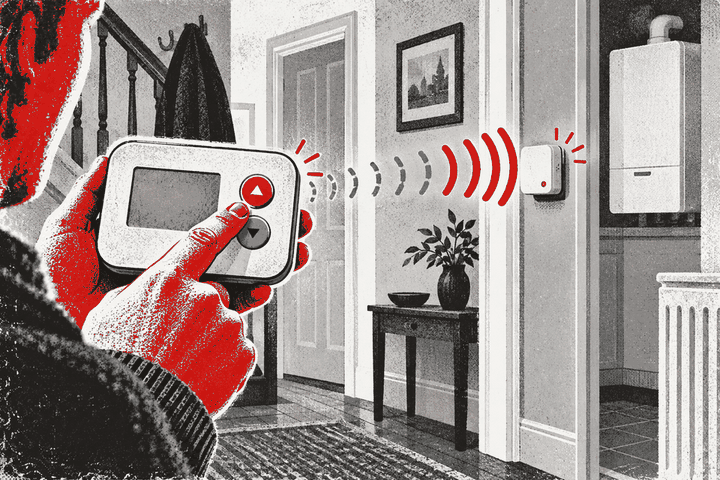
Why does a wireless thermostat reconnect after a manual temperature change?
Because pressing a button or turning the control often creates a fresh event for the thermostat to send. If the wireless link is marginal rather than completely failed, that new transmission may reach the receiver and make the heating respond again. The recovery is useful evidence, but it does not prove the batteries, radio path, receiver or pairing are permanently sound.
A manual change can wake the thermostat, update its setpoint and prompt a fresh radio message. Watch whether the receiver acknowledges the message and whether the boiler responds normally, then return to a sensible setting. If the link fails again without another button press, investigate batteries, distance, walls, metal objects, interference and the exact product’s fault indication. Do not repeatedly re-pair the controls, open the receiver or remove the boiler casing.
What happens when you change the set temperature
A wireless room thermostat normally measures the room and compares that reading with the selected temperature. When you raise the setpoint above the measured temperature, it should create a call for heat. In many battery products, that user action also causes an immediate or prompt radio transmission to the fixed receiver.
Drayton’s Digistat+ RF documentation, for example, says the receiver’s red indicator flashes when a radio signal is received, while its user guide explains that adjusting the dial changes the required temperature and can show a heat-demand symbol. Those details are model-specific, but they demonstrate the general reason a manual change can appear to restore communication.
Other thermostats send routine status messages on their own schedule and may use different lights, icons or app states. Use the exact manual before interpreting any indicator.
Why the fresh message gets through
A marginal wireless path is not necessarily blocked all the time. People moving through the room, doors opening, other electronics operating and small changes in the thermostat’s position can alter the radio conditions. A new message sent at a favourable moment may succeed even though an earlier one did not.
The manual adjustment can also wake a low-power display and control circuit. That does not mean the thermostat was fully powered off; battery devices often conserve energy between events. A successful transmission after a press therefore says more about the moment than about long-term reliability.
If the receiver had already missed an earlier demand, the new setpoint may simply be the first message it has received for a while. The heating then starts, making it look as though the temperature value itself repaired the connection.
What the recovery does prove
- The thermostat was able to respond to the control input.
- At least one new command or status message appears to have reached the receiver.
- The receiver and downstream heating controls were able to act at that moment.
- The problem may be intermittent rather than a permanent total failure.
That narrows the search. It does not identify whether the underlying weakness is the thermostat battery, distance, building fabric, interference, receiver power, product configuration or an intermittent fault.
What it does not prove
A single recovery does not prove that the thermostat will send routine messages reliably for the rest of the day. It also does not prove that the displayed room temperature is correct or that the boiler itself is healthy.
If the receiver has a manual override, using it may prove that part of the heating circuit can operate without proving the thermostat link. Drayton explicitly describes receiver override as a fault-situation facility on some Digistat systems and says normal operation resumes when satisfactory radio communication returns.
Do not use an override as a permanent substitute for a working control. It can bypass normal comfort logic and may leave the heating running longer than expected.
A safe observation sequence
- Write down the thermostat’s normal screen state, room temperature, setpoint and any warning icon.
- Check whether the heating schedule is currently on.
- Raise the setpoint by one or two degrees, without selecting an extreme value.
- Watch the thermostat and the receiver from outside their covers for the exact indicators described in the manual.
- Note how long it takes for the receiver and heating to respond.
- Return the setpoint to the intended comfortable temperature.
- Record whether the link remains normal or fails again after the controls are left alone.
One or two careful observations are enough. Repeated rapid changes can create confusing delays or cycling and do not improve a weak radio path.
Low batteries can create an intermittent pattern
Battery condition is a common, product-specific question. A display may still be visible when the batteries no longer provide the best margin during transmission. Some products show a low-battery symbol well before communication fails; others have different behaviour.
Follow the manufacturer’s battery type, polarity and replacement method. Replace the whole specified set together with fresh, matching batteries. Do not mix old and new cells or different chemistries, and do not use rechargeable cells unless the manual allows them.
If battery replacement requires unclippping only the user-removable thermostat, that is different from opening a mains receiver. Keep fixed electrical covers closed.
Distance, walls and metal still matter
Drayton publishes a typical 30-metre radio range for one Digistat RF model but warns that the composition, density and number of walls affect it. That figure is not a promise for every house or every product. Foil-backed insulation, stone walls, mirrors, metal shelving, appliances and a boiler casing can all reduce the usable margin.
Resideo’s T3R guidance says that if communication is lost, moving the thermostat to another location can be tried to restore it. The safe version of that test applies only to a portable, battery thermostat used on its proper stand. Never move the wired receiver or trail a fixed control on loose wires.
Read whether moving a wireless thermostat closer can restore communication for a controlled placement test.
Interference can be intermittent
Wireless problems can coincide with a microwave, cordless phone, baby monitor, router, television equipment or another radio system, although the relevant sources depend on the frequency and product. Google’s official Nest guidance describes interference as potentially intermittent and notes that walls, cabinets, bookshelves, mirrors and appliances can reduce wireless reliability.
Do not start switching off essential medical, safety or network equipment. Instead, note whether failures occur at a repeatable time or when a particular appliance is operating. Manufacturer support can then advise on the radio system actually installed.
Do not confuse radio communication with Wi-Fi
Many heating controls use one wireless link between the room thermostat and a receiver, and a separate Wi-Fi or internet link for an app. The app can show offline while local heating control still works, or the local receiver link can fail while the home internet is fine.
Identify which connection recovered after the manual change. Did the receiver acknowledge a heat demand? Did only the phone app refresh? Did the boiler start? Those are different observations and lead to different checks.
Allow for normal control delays
A thermostat may not switch the boiler every time the displayed temperature changes by a fraction of a degree. Modern controls can use hysteresis, time-proportional control, minimum run times or optimisation to avoid rapid cycling. The receiver may therefore be connected even when the boiler does not start instantly.
Use the product’s call-for-heat indication and receiver acknowledgement rather than judging solely from boiler noise. Do not increase the setpoint repeatedly while waiting.
When a reset or re-pair is not the first step
Re-pairing can erase a working association, connect a thermostat to the wrong zone in a multi-zone home or hide a placement problem temporarily. Factory resets may also remove schedules and installer settings. Use those procedures only when the exact manual or product support directs you.
Drayton’s multi-zone guidance emphasises matching each wireless thermostat to the correct receiver. In a property with more than one control, record which room and zone responded before changing any configuration.
Other causes that look like a reconnect
- The schedule changed at the same time as the button press.
- The room temperature crossed the control’s switching threshold.
- The receiver was connected but a normal anti-cycling delay expired.
- The boiler finished another task, such as hot-water operation.
- The app refreshed even though the local radio link never failed.
- A loose battery contact responded to handling rather than the setpoint change.
Record times and indicators rather than assuming cause from coincidence.
When to arrange help
Contact the control manufacturer or a competent heating-control engineer when communication repeatedly fails, fresh correct batteries do not help, the receiver shows a persistent fault indication or the only reliable position gives a poor room-temperature reading. They can test the link, confirm compatibility and assess whether relocation or a designed repeater is supported.
Mains receiver installation and wiring belong with a competent electrician or appropriately qualified heating engineer. If work requires opening or altering a gas boiler, HSE says it must be carried out by a Gas Safe registered engineer qualified for that appliance. Keep both covers closed.
Related questions
Why does pressing any button seem to fix it?
The press may wake the device and prompt a new transmission. It does not prove the original cause has gone.
Should I keep changing the temperature to maintain the link?
No. A heating control should communicate without repeated prompting. Use the pattern as diagnostic evidence and arrange a lasting fix.
Can a visible display rule out flat batteries?
No. Follow the product’s low-battery indication and replacement instructions; a screen can remain visible when transmission reliability has reduced.
Does a flashing receiver light always mean success?
No. Indicator meanings vary. Check the exact manual before interpreting colour, flashing or timing.
The practical conclusion
A manual temperature change can make a wireless thermostat reconnect because it creates a fresh message at a moment when the radio path succeeds. That is valuable evidence of an intermittent link, not a permanent repair.
Observe the thermostat, receiver and heating response together; check the correct batteries and safe portable placement; and keep all fixed electrical and boiler covers closed. Repeated failures need model-specific diagnosis rather than repeated button pressing.
Wireless control only working after a button press?
Have the thermostat, receiver and heating response checked together.