
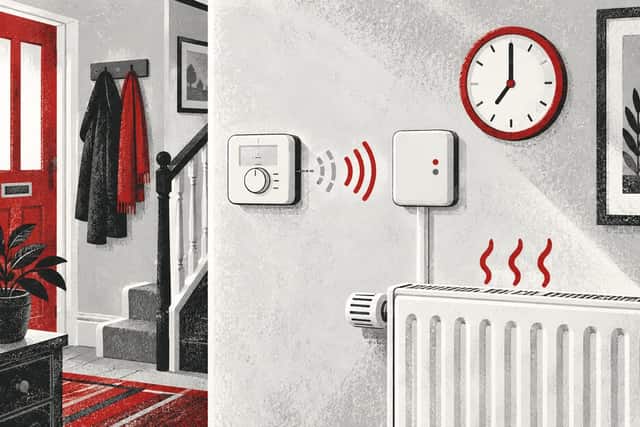
Why does a wireless thermostat reconnect after the heating schedule has started?
The schedule itself does not normally repair a wireless link. It changes the target temperature or heating mode, which creates fresh activity between the thermostat and its receiver. A marginal radio link, low batteries, a sleeping display or a temporary power interruption can therefore appear to recover at the same time.
Record whether the thermostat, boiler receiver and app were all offline or only one of them. Note the exact schedule time, heating symbol, receiver lights and how long reconnection takes. Replace user-changeable batteries only as the product manual directs. Do not rewire, rebind or reset equipment by guesswork because that can erase useful settings.
A schedule and a wireless connection are different things
A heating schedule is stored timing information: at a chosen time, the control changes its target temperature or mode. A wireless connection is the radio path used to pass information between devices. Smart systems may also have a separate Wi-Fi or internet connection for the app.
The schedule can continue locally even when an app reports the control offline. Equally, a thermostat can remain online to the app while its separate boiler receiver has lost contact. Identify which link actually disappeared before treating “reconnected” as one event.
Google’s Nest guidance, for example, distinguishes the thermostat-to-Heat-Link connection from the thermostat’s network and app connection. Other brands arrange these links differently.
Why the timing can look schedule-related
When a scheduled setpoint rises, the thermostat has a reason to send a heating request. Some controls transmit periodically and also send when their state changes. Fresh radio traffic can make a connection indicator update or can expose that a receiver is responding again.
A battery device may also wake its display or radio more visibly when a scheduled event occurs. That does not mean it was completely powered down beforehand. Energy-saving behaviour and indicator timing are product-specific.
If the connection returns at approximately the same time rather than exactly the schedule boundary, another repeating event may be responsible: household electronics switching on, a router restart, morning electrical load or occupants moving a portable thermostat.
Heating demand may reveal rather than cure the problem
During an overnight setback, the thermostat may not need to call for heat. A weak link can go unnoticed because the expected result is “heating off”. When the morning target rises, the system must communicate and the receiver status becomes obvious.
If the first message fails but a later retry succeeds, the home warms after a delay. That can feel as though the schedule started first and the thermostat reconnected afterwards.
Do not assume this retry behaviour applies to every product. Use the exact manual’s symbols and fault messages.
Separate radio connection from Wi-Fi
Many wireless boiler controls use their own low-power radio link between thermostat and receiver. A smart hub or thermostat may then use Wi-Fi or another connection for remote app access. Internet failure can make the app show “offline” while local heating continues normally.
Conversely, good Wi-Fi does not prove the thermostat can reach its boiler receiver. Record the local receiver lights and whether the boiler responds, not just the phone screen.
Google states that its products periodically try to reconnect to Wi-Fi after losing the network. That automatic retry can coincide with a schedule event without being caused by it.
Common reasons for an intermittent wireless link
- Low or poorly seated thermostat batteries.
- The thermostat being near the edge of radio range.
- Metal, mirrors, foil-backed insulation or large appliances in the signal path.
- Interference from routers, cordless phones or other radio equipment.
- A receiver or hub temporarily losing mains power.
- A router changing channel or restarting.
- A portable thermostat moved behind furniture or into a drawer.
- A device software or hardware fault.
Resideo’s wireless-control documentation identifies low thermostat batteries and impaired RF signal strength as possible communication-loss causes. Google likewise says interference can produce repeated disconnection and automatic reconnection.
A useful three-part check
- Look at the thermostat itself: is its display awake, and does it show a communication or battery symbol?
- Look at the boiler receiver without opening it: what lights or symbols are present, and does demand change them?
- Check the app or hub separately: does it say the thermostat is offline even while local heating responds?
Write down the three states at the same time. A single screenshot of the app cannot show whether the local radio link and receiver output are working.
Test outside the scheduled start
At a safe and convenient time, make one normal user temperature adjustment that should create demand. Note whether communication returns immediately, after a delay or not at all. Then return the control to its normal setting.
If the same reconnection happens after any setpoint change, the important trigger is likely fresh control activity rather than the clock time. If it happens only in one part of the day, investigate position, interference and power events around that period.
Do not repeat the test so often that the home overheats or the boiler short-cycles.
Check batteries without losing settings
Use the exact thermostat instructions. Fit only the stated type, replace the full set together where directed and observe polarity. Do not use a random rechargeable substitute when the manual specifies alkaline cells.
Low battery voltage can affect radio performance before the display goes completely blank. Resideo’s ST9000 wireless documentation describes low batteries as a common cause of lost communication for its paired room unit.
If battery replacement requires removing a wired thermostat face, exposes terminals or is not presented as a user task, stop and ask the installer.
Position and interference
A portable thermostat should sit where it can sense representative room air and maintain its designed link. Avoid metal cabinets, direct radiator heat, deep windowsills, televisions and dense appliances unless the manufacturer says otherwise.
Google advises that routers, access points, cordless phones and other radio-frequency equipment can cause connection trouble. Moving an unrelated radio device a short distance may be a reasonable comparison; relocating fixed heating controls is not.
Record whether the problem began after a router, television, appliance, mirror, cupboard or foil-backed insulation was added.
Power interruptions can create the same pattern
The thermostat may be battery powered while its receiver, hub and boiler depend on mains electricity. A receiver that loses power cannot act on demand even if the thermostat looks normal.
Check whether clocks on other appliances reset, whether a fused spur was operated or whether a smart plug or timer controls equipment that should remain powered. Heating controls and boiler supplies should not be casually switched through unapproved devices.
If a fuse trips repeatedly, there is heat, burning smell or damaged wiring, isolate only if safe and call a competent electrician or heating engineer.
Do not confuse delayed warm-up with reconnection
Some controls start heating before the displayed schedule time so the room reaches temperature on time; others start exactly at the programmed time. Google calls its predictive function Early-On. Different systems use different names and logic.
A boiler may also wait because of anti-cycling, pump operation or another normal control sequence. A delayed radiator warming does not by itself prove wireless failure.
Use the connection symbol, receiver indication and exact demand state together. For a related timing guide, read why heating may start before the programmed time.
What not to do
- Do not factory-reset the thermostat before recording settings and symptoms.
- Do not repeatedly rebind devices with instructions for another model.
- Do not move or open a mains-wired receiver.
- Do not bridge thermostat terminals or force the boiler to run.
- Do not enter boiler installer menus to compensate for a control fault.
- Do not assume an app outage means the boiler is unsafe.
Internal work on a gas boiler or its gas-related controls must be completed by a suitably qualified Gas Safe registered engineer. Electrical control work needs appropriate competence too.
When to arrange help
Ask for support if communication fails repeatedly, the house misses heating periods, batteries drain unusually fast, receiver indications do not match demand or manual operation behaves unpredictably. Contact the control manufacturer or original installer with the exact product combination.
If the boiler also shows a fault, record the message exactly and use its own manual. Do not translate a generic “wireless” symptom into an invented boiler fault meaning.
For a gas smell, carbon-monoxide alarm or suspected unsafe appliance, follow emergency advice and do not continue testing. HSE says an appliance suspected of being unsafe must not be used until checked by a Gas Safe registered engineer.
What to record
- Thermostat, receiver, hub and boiler models.
- The scheduled time and target temperature.
- Thermostat battery and connection symbols.
- Receiver light pattern before and after reconnection.
- Whether local heating worked while the app was offline.
- Delay between the schedule event and heat demand.
- Recent router, furniture, appliance or control changes.
- Any power interruption or exact error message.
A short timeline over two or three days is more valuable than repeated resets because it shows whether the pattern is genuinely linked to the schedule.
The practical conclusion
A wireless thermostat can appear to reconnect after a schedule starts because the new setpoint creates fresh communication and makes the system’s state visible. The schedule is usually a trigger for activity, not a repair for the link.
Separate thermostat-to-receiver communication from Wi-Fi and app status, check only user-serviceable batteries and position, and preserve the evidence. Persistent missed demand needs product-specific diagnosis rather than repeated resetting.
Heating control still dropping out?
Record the thermostat, receiver and boiler sequence before the visit.