
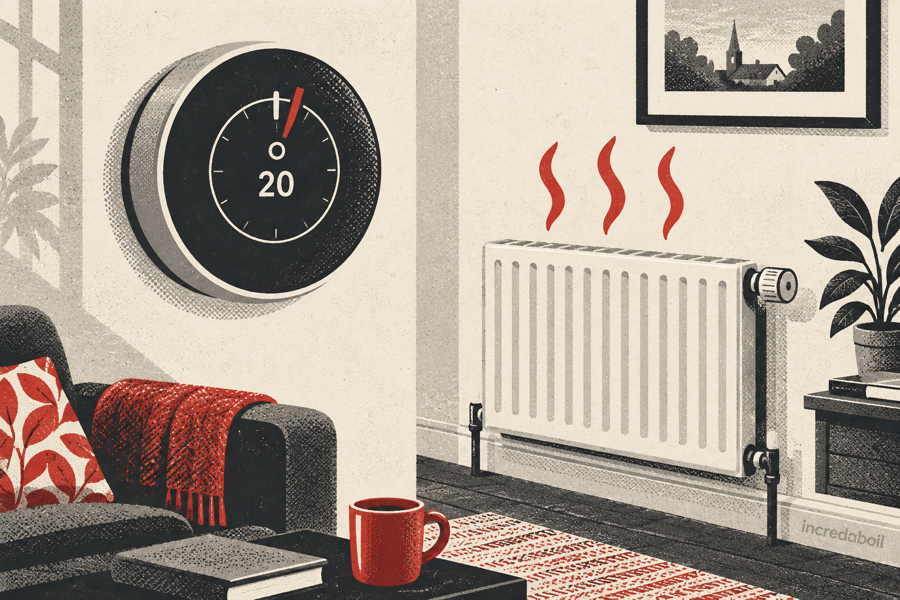
Why does my smart thermostat overshoot the set temperature?
A room warming slightly beyond the thermostat setting does not automatically mean the smart control is faulty. Radiators and pipework continue releasing stored heat after the boiler stops, and some controls deliberately start or stop early while learning how the home responds. Larger or persistent overshoots need a closer look at sensor location, schedules, system settings and whether the heating actually stops when demand ends.
First check whether the thermostat is still showing a heating demand when the room passes its target. If demand has ended but the temperature rises a little more, retained radiator heat is a likely explanation. If the heating symbol stays on well beyond the target, or the boiler keeps firing, review the schedule, active sensor and learning features before arranging an engineer.
What “overshoot” means
Overshoot is the difference between the chosen room temperature and the highest temperature reached after heating. A thermostat does not hold a room at one perfectly fixed reading. It switches or modulates the heat around the target, while the building, radiators and outdoor weather continue changing.
Small movement is normal. The important questions are how far the temperature rises, how long it stays high and whether the thermostat is still requesting heat. Record the thermostat target, displayed room temperature, heating symbol and time rather than relying on how the room feels alone.
Radiators keep giving out heat after the boiler stops
A wet radiator system has thermal inertia. Hot water, metal radiators, pipes and warm walls hold energy, then continue releasing it after the thermostat removes demand. Google’s Nest guidance explains that radiant systems can pass their target because hot water pipes and radiators remain warm after active heating stops.
The effect is usually greater when the boiler flow temperature is high, radiators are large or the room gains heat quickly. Bright sunshine, cooking and several people entering the room can add further heat just as the thermostat switches off.
Check the boiler display when the thermostat says the room has reached its target. If the burner indication has gone but radiators remain hot, the room may simply be coasting on stored heat.
Smart preheating and learning can look like a fault
Many smart thermostats can begin heating before a scheduled time so the home reaches the target at that time, rather than only starting then. Learning systems may also adjust when they stop, based on how quickly the building warms and cools.
Google calls its radiator and underfloor feature True Radiant. It can start early and stop early to reduce temperature swings. Other brands use different names and algorithms. A schedule saying 20°C at 7am may therefore produce a heating demand before 7am.
Open the app history or activity view and look for an early-start, optimum-start, learning or preheat feature. Do not assume an unexpected start means the relay is stuck. Check the exact product instructions because features and menus differ.
Sensor location can distort the reading
A thermostat controls the temperature where its active sensor is, not an average of the whole house unless the system is configured that way. Placement near a cold outside wall, draught, window or frequently opened door can keep the sensor cool while the occupied part of the room becomes too warm.
The opposite can happen in direct sunlight or beside a television, cooker, hot pipe or fireplace: the sensor may read warmer than the surrounding room and stop heating early.
Google advises placing a temperature sensor around chest height, away from direct sunlight, windows, heat sources and enclosed positions with poor airflow. It must also be in the zone that the thermostat controls.
Check which sensor is active
Smart systems may use the thermostat itself, a wireless room sensor or a schedule that changes the active sensor during the day. If a bedroom sensor controls the system overnight, the living room may become warmer than its own target while the bedroom is still calling for heat.
In the app, confirm:
- which thermostat or sensor currently controls the heating;
- which room and zone that sensor belongs to;
- whether a sensor schedule changes at the time of the overshoot;
- whether the displayed temperature comes from the same sensor as the control demand; and
- whether any sensor is offline or has a low battery.
Do not move a stand-mounted thermostat from room to room as a daily control method. Repeated movement changes the conditions it is trying to learn.
Compare readings properly
Two thermometers rarely show exactly the same number if they sit at different heights or locations. Compare an independent room thermometer beside the thermostat, away from your hands and direct sunlight, and give both devices time to settle.
A mismatch elsewhere in the room may reflect real temperature variation rather than a faulty sensor. Air near the ceiling is usually warmer than air near the floor, and a cold external wall can influence a nearby device.
If the thermostat has an approved temperature-offset setting, use it only after a careful side-by-side comparison and follow the manufacturer’s instructions. A large offset can hide poor placement without correcting comfort elsewhere.
Review the schedule before changing hardware
Energy Saving Trust explains that programmable thermostats combine time and temperature settings. Smart controls can also add learning, geofencing and remote changes. Overlapping schedules or an automatic routine may therefore restore a higher target after you turn it down manually.
Check every heating period for the affected day. Look for:
- a scheduled temperature change shortly before the room becomes too warm;
- a manual boost that has not expired;
- a holiday, away or geofencing routine changing mode;
- more than one household member controlling the app;
- voice-assistant or automation commands; and
- separate schedules for smart radiator valves.
Make one change at a time, then observe a complete heating cycle. Resetting every learning feature at once removes useful evidence.
Could the boiler flow temperature be too high?
A high radiator flow temperature delivers heat rapidly and leaves more stored heat in the system after demand ends. Reducing it can make control gentler, but the setting must still heat every room adequately and suit the boiler and system.
Do not confuse boiler flow temperature with the room target. If you have a combi boiler and understand the separate heating control, a modest reduction may reduce overshoot. If the boiler heats a separate hot-water cylinder or uses weather compensation, ask an engineer before changing unfamiliar settings.
TRVs and room thermostats must work together
Thermostatic radiator valves regulate individual radiators. Energy Saving Trust says a TRV senses local room temperature and restricts flow as the room warms. If the radiator near the main thermostat is heavily restricted, the thermostat area may warm differently from the rest of the zone.
Do not use smart TRVs and the main thermostat as competing controls without following the system design. Confirm which device calls the boiler and which devices only regulate radiators. Rooms can overshoot if another colder room keeps the shared heating zone running.
How to tell retained heat from continuing demand
- Record the target and room temperature as the room approaches the set point.
- Watch for the thermostat’s heating symbol to disappear.
- Check whether the boiler burner indicator also stops. A pump may continue briefly after the flame goes out.
- Note how much further the room warms and for how long.
- Repeat on another day without changing several settings.
If the heating demand ends near the target and the room then rises gently, retained heat is plausible. If the thermostat continues requesting heat while its own reading is well above the target, the schedule, sensor selection or control setup needs investigation.
When the system itself may need attention
Arrange professional help if the boiler continues firing after all thermostats show no demand, the temperature rises substantially and repeatedly, a zone remains hot when switched off, or the thermostat and receiver lose communication. A motorised valve, relay, wiring or control-configuration problem may be involved.
Do not open the boiler casing, receiver, wiring centre or motorised valve cover. Heating controls can contain mains electricity, and work on a gas boiler must be carried out by a suitably qualified Gas Safe registered engineer.
A useful seven-day test
For one week, keep a short record of target temperature, peak temperature, outside conditions, active sensor, heating-on times and whether the boiler flame symbol remained visible. Include cooking, strong sunshine or a log fire because these add heat independently.
The pattern often reveals whether overshoot follows a morning preheat, sunny afternoon, high flow temperature or particular sensor schedule. This is more useful to an engineer or controls installer than a single screenshot taken after the room feels hot.
Frequently asked questions
Is half a degree above the target normal?
A small rise can be normal because heating systems and sensors respond over time rather than instantly. Judge the repeatable pattern and whether active demand has ended.
Why does the boiler start before the scheduled time?
An early-start or learning feature may be trying to reach the scheduled temperature on time. Check the product’s preheat settings and activity history.
Should I move the thermostat to a colder room?
Not without considering the whole zone. A colder sensor can make other rooms overheat. Use the manufacturer’s placement guidance or ask an installer to review zoning.
Will turning the target much lower stop overshoot?
It may mask the symptom but does not explain it. Confirm retained heat, schedules and sensor placement first.
Can smart radiator valves cause different room temperatures?
Yes. Each room has different heat loss and valve demand, while the boiler may serve several rooms together. Check which device is actually calling for heat.
Related boiler-help guides
- What temperature should my house be?
- What setting should TRVs be on?
- Why does my boiler fire with no demand?
- Best condensing boiler flow temperature
Does your heating keep running past the target?
Book a fixed-price boiler repair to check the controls, demand and heating response.